Security, audit and confidentiality
Every action in Tasdiqly is written to an append-only audit log in which each event is chained to the previous one by a hash — any deletion or edit breaks the chain and becomes visible. Confidentiality levels decide who can open a document at all.
Step by step
- Open Admin → Audit log. The banner shows Hash chain verified; press Verify now to recompute the whole chain (also done automatically every day).
- Filter with Time, Actor, Category, Severity, Result; Document timeline shows everything that happened to one document; Alerts lists suspicious activity (mass downloads, off-hours access, break-glass).
- Confidentiality levels (shown in English): Public-internal — everyone in the company; Department — the author’s department and route participants; Confidential — participants and explicit shares only; Strictly confidential — listed users only, no download. Set the default per template (Access → Default confidentiality); authors choose it on the Access step.
- Exports of the audit log ask for step-up (PIN + code) and are themselves audited.
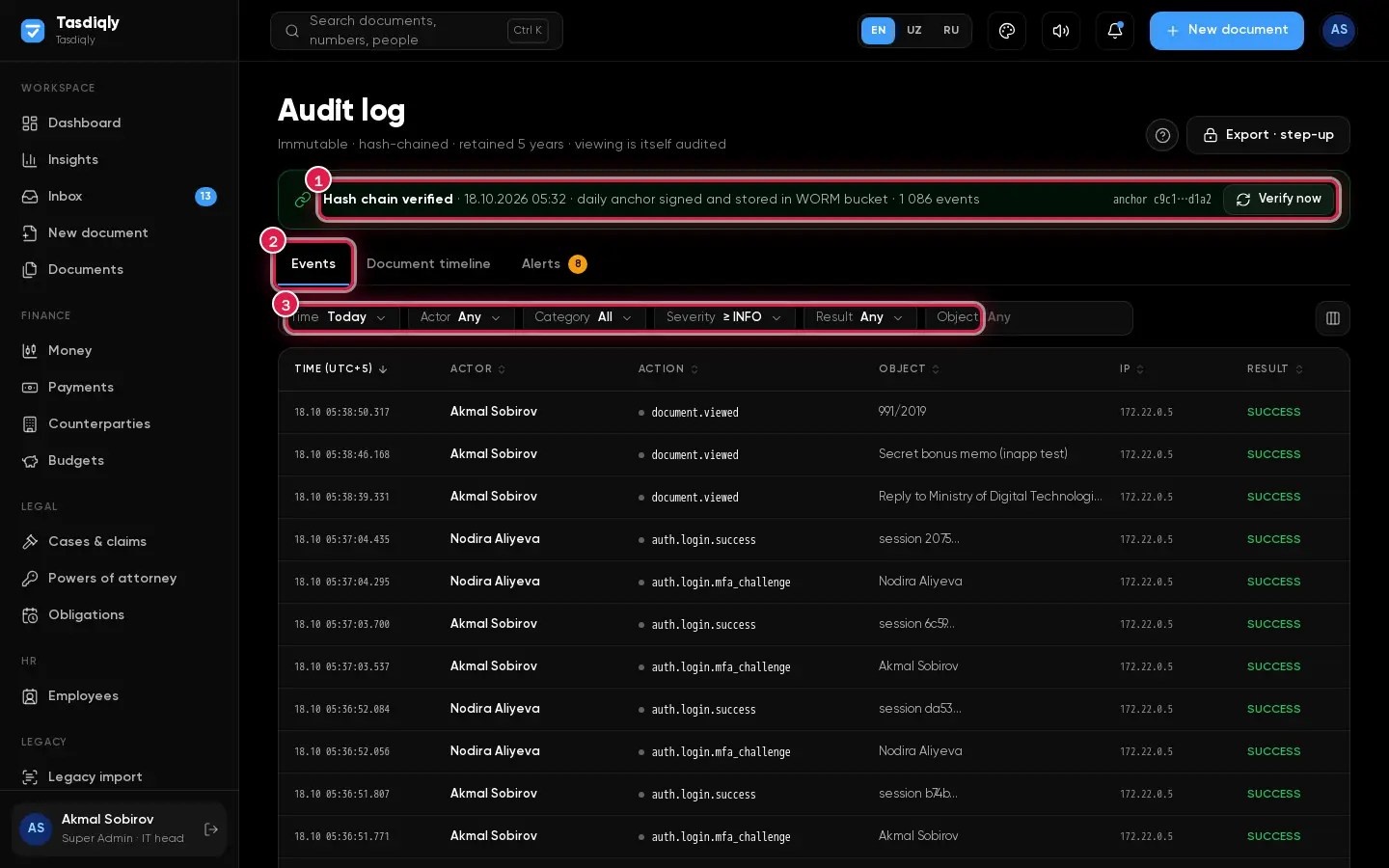
- Chain status and Verify now
- Events, timeline, alerts
- Filters
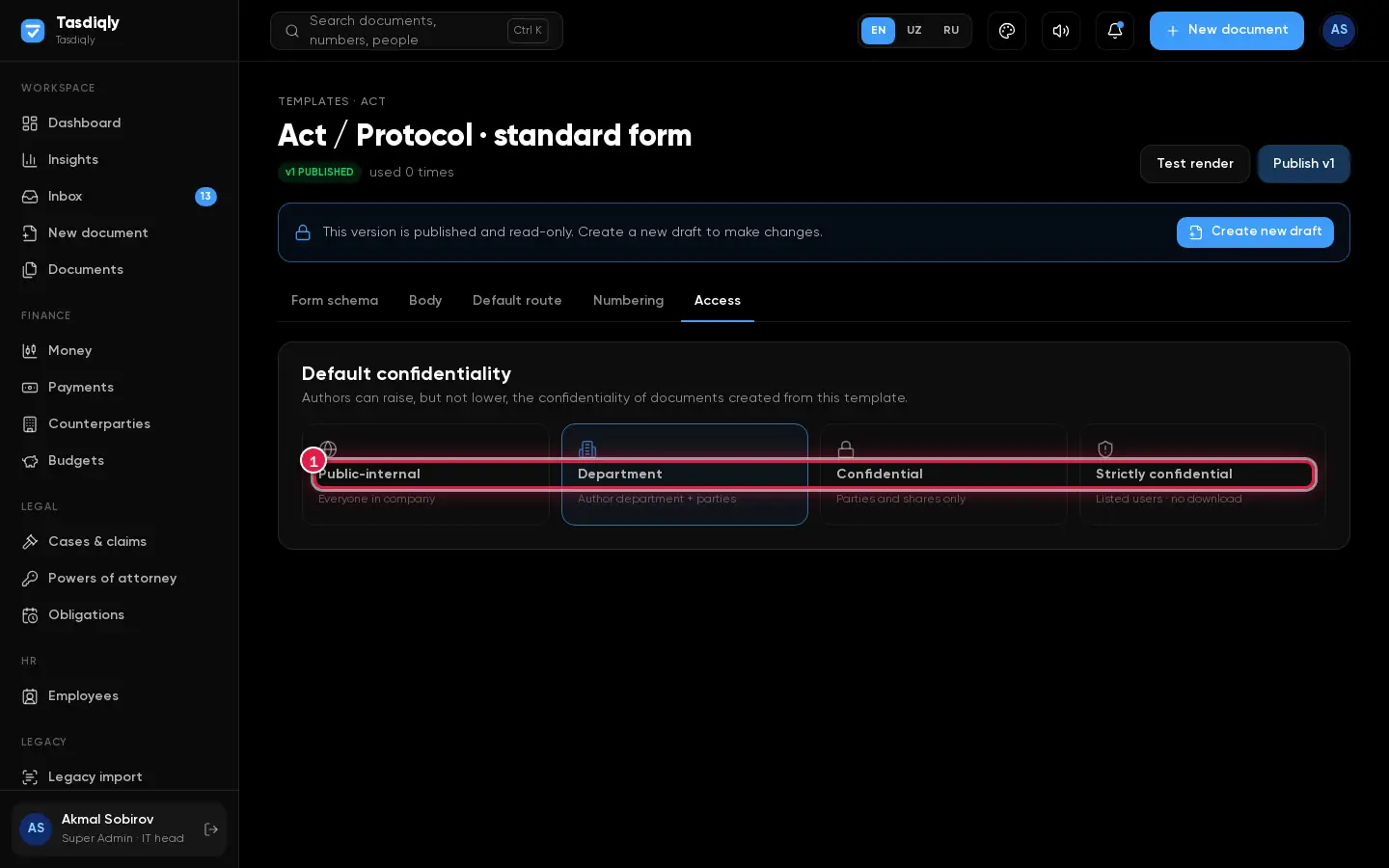
- Four confidentiality levels
Common mistakes
- Marking everything "Strictly confidential" — nobody can download or forward, and routes stall. Use it for salaries, disciplinary matters, board decisions.