Integrations: e-mail, E-IMZO, Telegram, notifications, partners
E-mail and Telegram bring tasks to people instead of waiting for them to open Tasdiqly — deadlines are met. E-IMZO works only on web addresses that have an API key issued by E-IMZO: without a key for each of your addresses, the browser plug-in refuses to sign there.
Step by step
- Open Admin → Integrations. Each card shows Working, Needs attention or Not configured and has a How to set up guide.
- E-mail: in E-mail (SMTP) press Configure, enter SMTP host, Port, Encryption, User, Password and From address of your company mailbox, Save, then type your address into Send test e-mail to and press Test. Without your own mailbox, mail goes from the platform’s address.
- E-IMZO: the E-IMZO signatures card lists every address of your organization (
<slug>.tasdiqly.uzand your own domains). Request an API key for each address at e-imzo.uz, press Configure, enter Domain and API key per row (Add key for more), Save and Test. - Telegram: one Tasdiqly bot serves everyone; nothing to configure. Each user links their own account in Profile & security → Link Telegram (scan the QR or open the bot and press Start).
- Notification defaults: Settings → Notifications — reminder before deadline, escalation, daily digest hour, in-app pop-ups and sounds for users who haven’t chosen their own.
- Connect with partners (Exchange): ask Tasdiqly to verify your organization’s TIN (the Verified badge — without it other organizations cannot send to you). Then Admin → Settings → Exchange → Enable Exchange: confirm with your PIN and code and accept the statement that your Tasdiqly inbox becomes the organization’s electronic address — a document counts as received when it arrives there (Law No. 611-II, arts. 14–15).
- In the same section choose who receives documents from other organizations (Who receives documents: people or a department; by default the registrars), the policy — Any verified organization (unknown senders wait in Exchange → Pending until you accept them) or Only connected organizations — and whether partners can find you by name in the directory (by TIN they always can).
- Exchange → Connections: request a connection by TIN, accept or block partners. Binding signatures between organizations are E-IMZO; internal signatures (PIN + code) count only when both organizations switch on Accept internal signatures for each other — a framework agreement you should also have on paper.
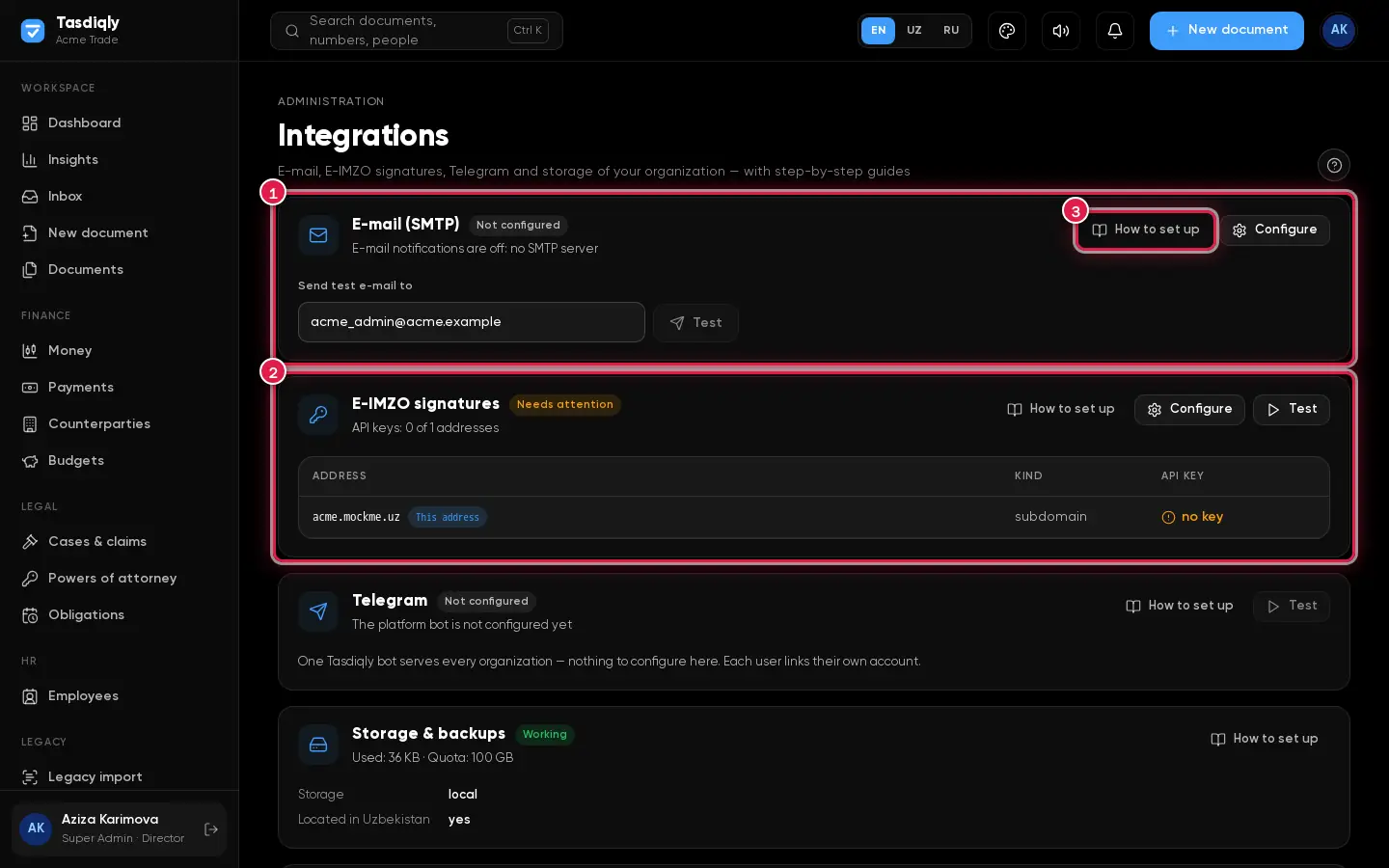
- E-mail (SMTP): Configure and Test
- E-IMZO: a key for every address
- How to set up
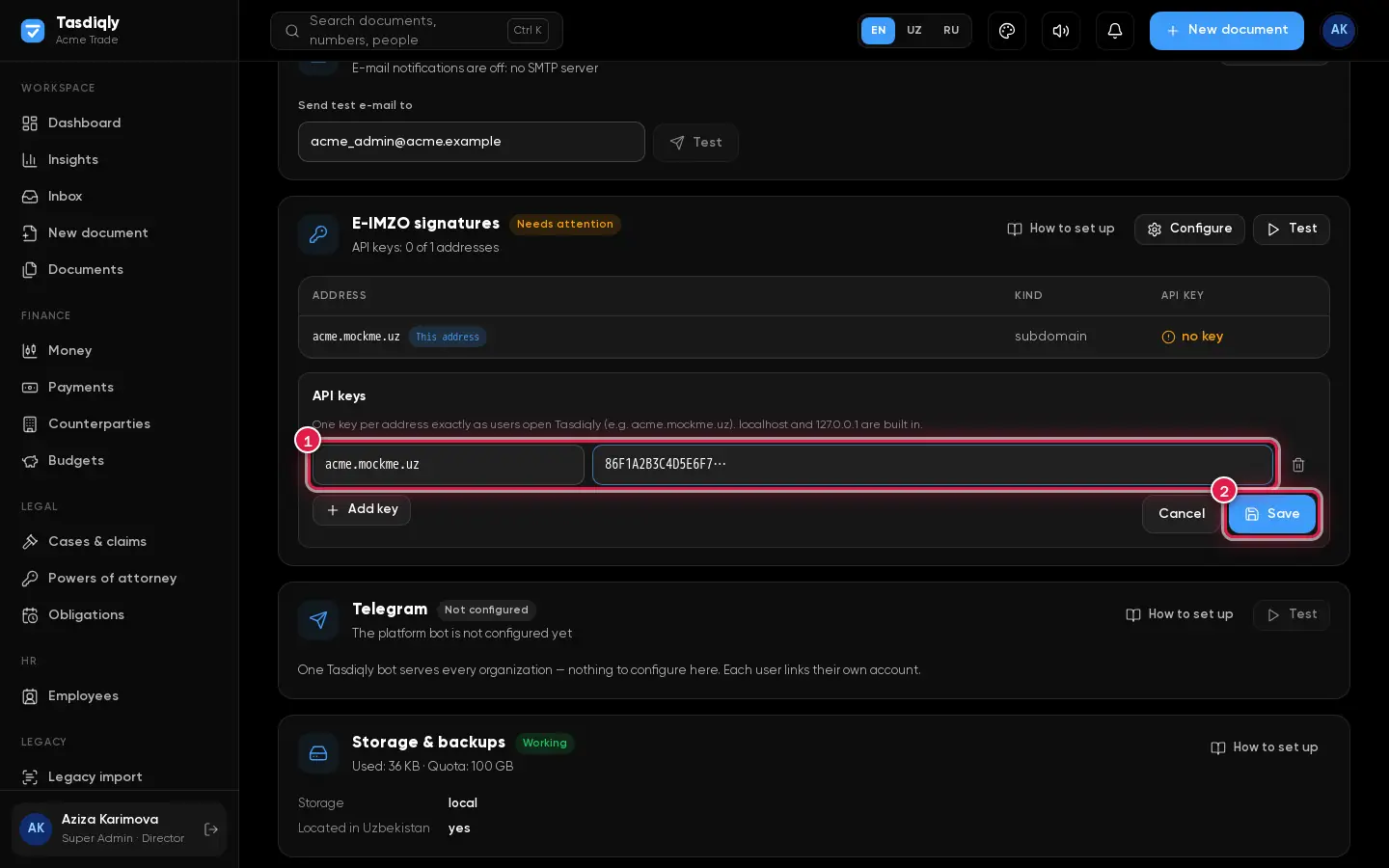
- Domain and API key
- Save
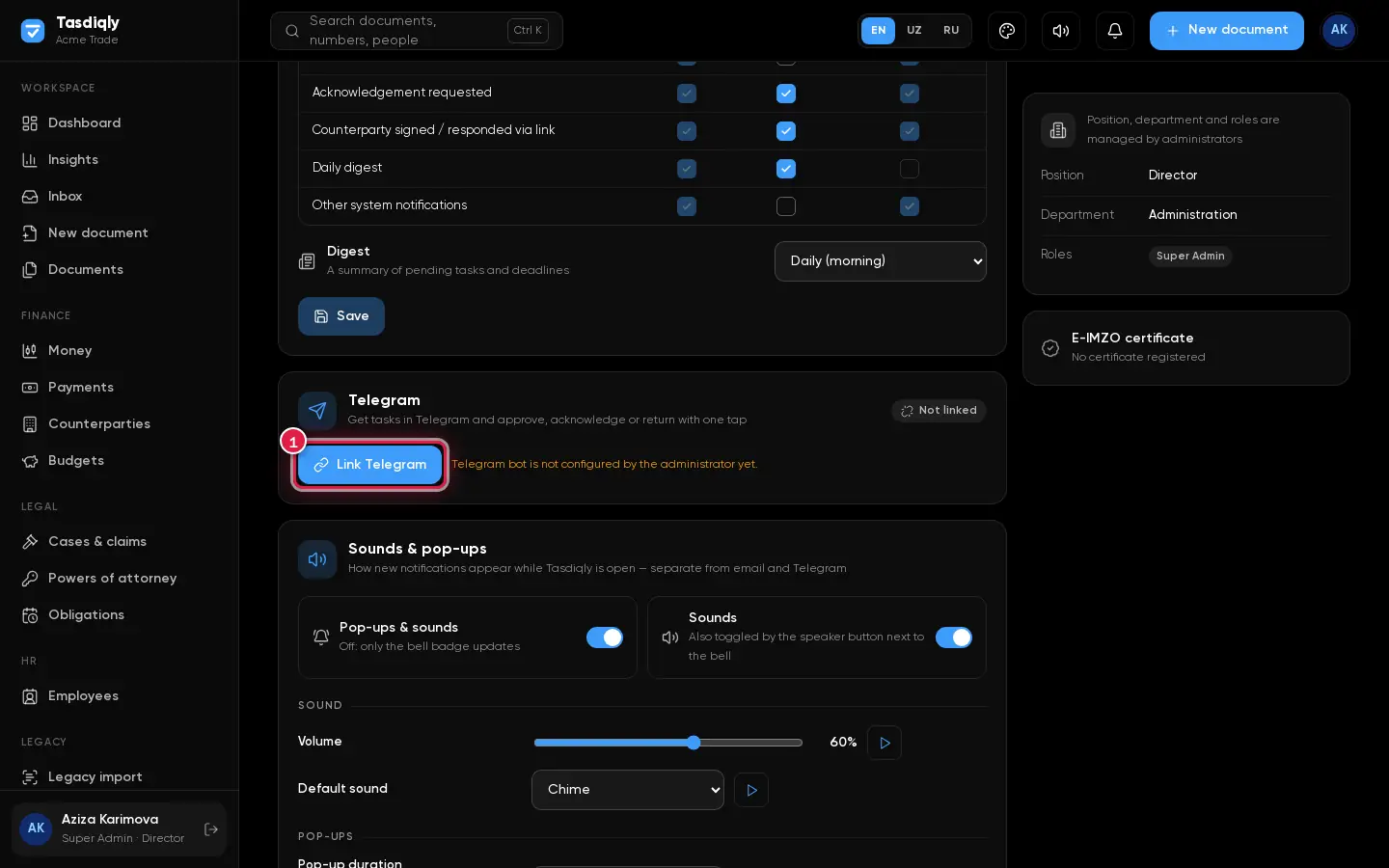
- Link Telegram
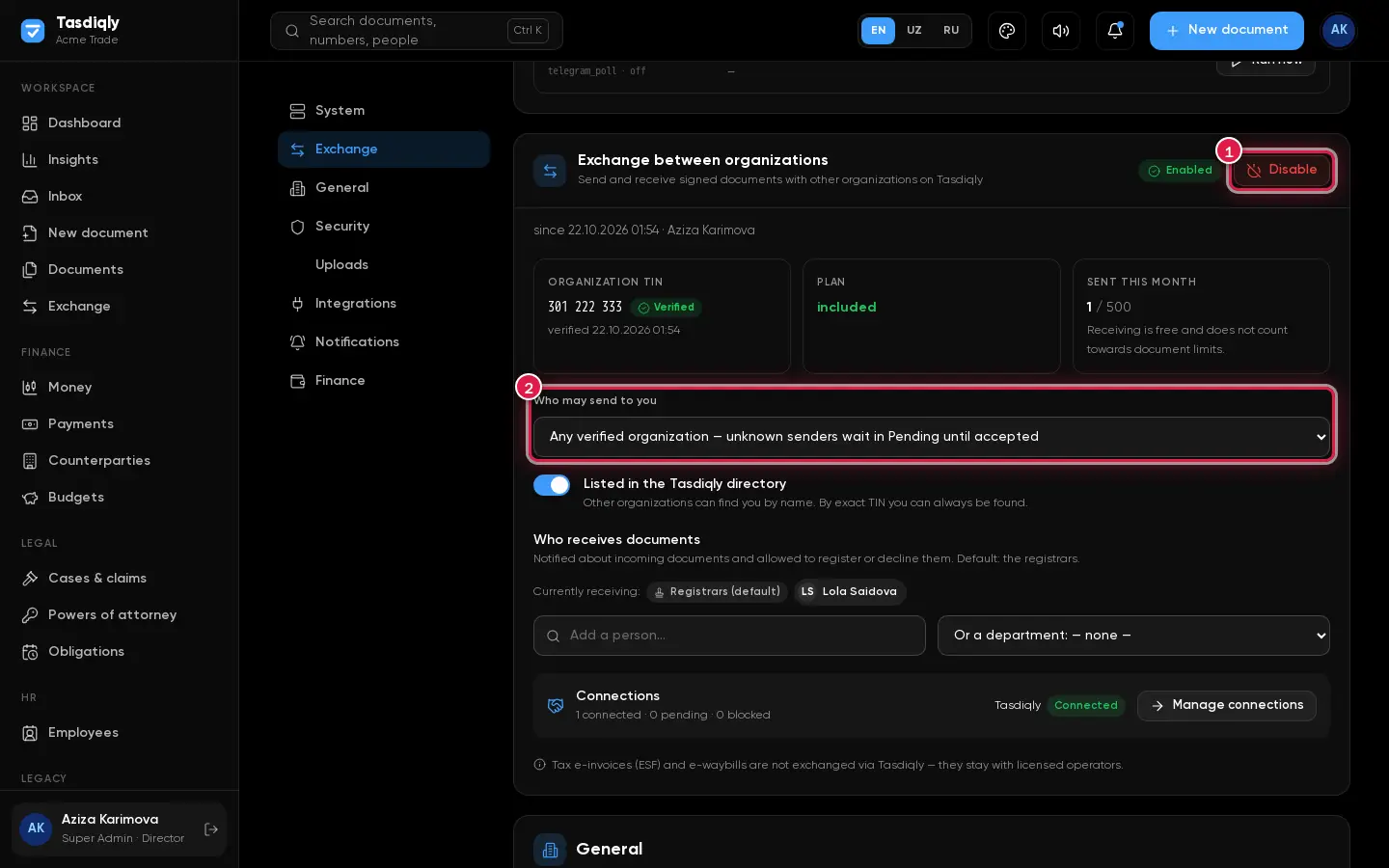
- Exchange on / off (step-up + statement)
- Who receives, policy, directory
Common mistakes
- Adding an E-IMZO key only for your custom domain and forgetting
<slug>.tasdiqly.uz(or vice versa) — signing works on one address and fails on the other. - Enabling Exchange before the TIN is verified, or leaving no intake users — partners cannot send, or documents arrive and nobody registers them.
- Using a personal Gmail as SMTP — mail lands in spam. Use the company mailbox with an app password.
Tips
- Tax e-invoices (ESF) and e-waybills are not exchanged via Tasdiqly — they stay with the licensed operators. Acts, contracts, addenda, letters and reconciliation acts are fine.
- Receiving is free and does not count against your document limits; sending counts against the monthly exchange limit of your plan.