Secure your administrator account
You hold the keys to the whole organization: every user, document and setting. The temporary password from the Tasdiqly team was seen by others, the authenticator protects you from stolen passwords, and the signing PIN (together with the authenticator code) is what makes your internal signature legally yours.
Step by step
- Open the sign-in address from the welcome e-mail (
https://<your-address>.tasdiqly.uz), enter the Username and the temporary password and press Sign in. - The Change your password screen opens. Type the temporary password into Current password, then a new one (at least 8 characters; the meter should show Strong) into New password and Confirm new password, and press Change password.
- Next comes Set up your authenticator. Install Google Authenticator or Microsoft Authenticator on your phone, press Set up authenticator and scan the QR code (or type the Secret key (manual entry)).
- Enter the 6-digit code from the app into Authenticator code, your new password into Your account password, and press Enable. From now on every sign-in asks for this code.
- Click your name in the bottom-left corner to open Profile & security. In the Signing PIN card enter 4–8 digits into New PIN and Repeat PIN, add your password and the current authenticator code, and press Save PIN.
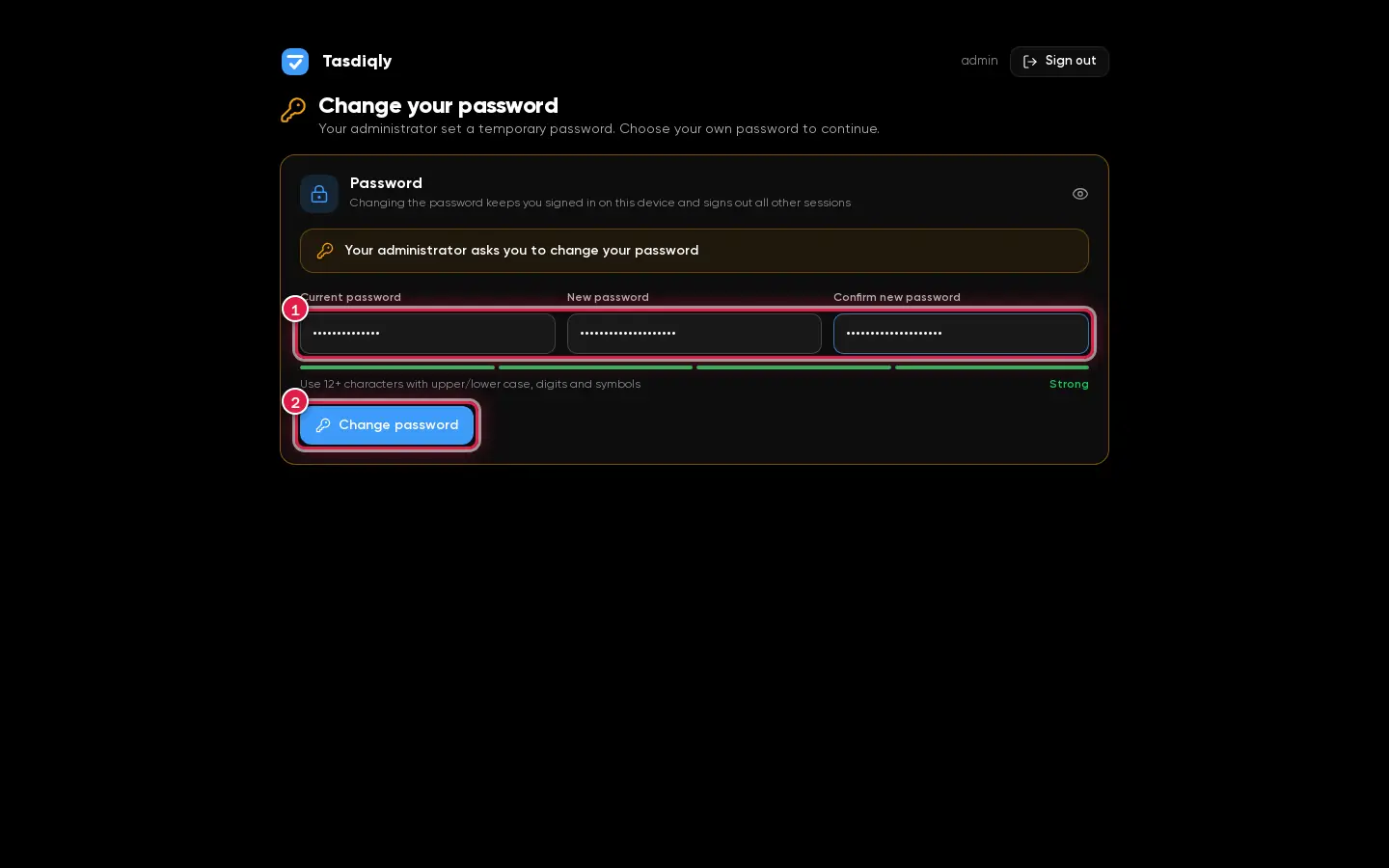
- Current, new and repeated password
- Change password
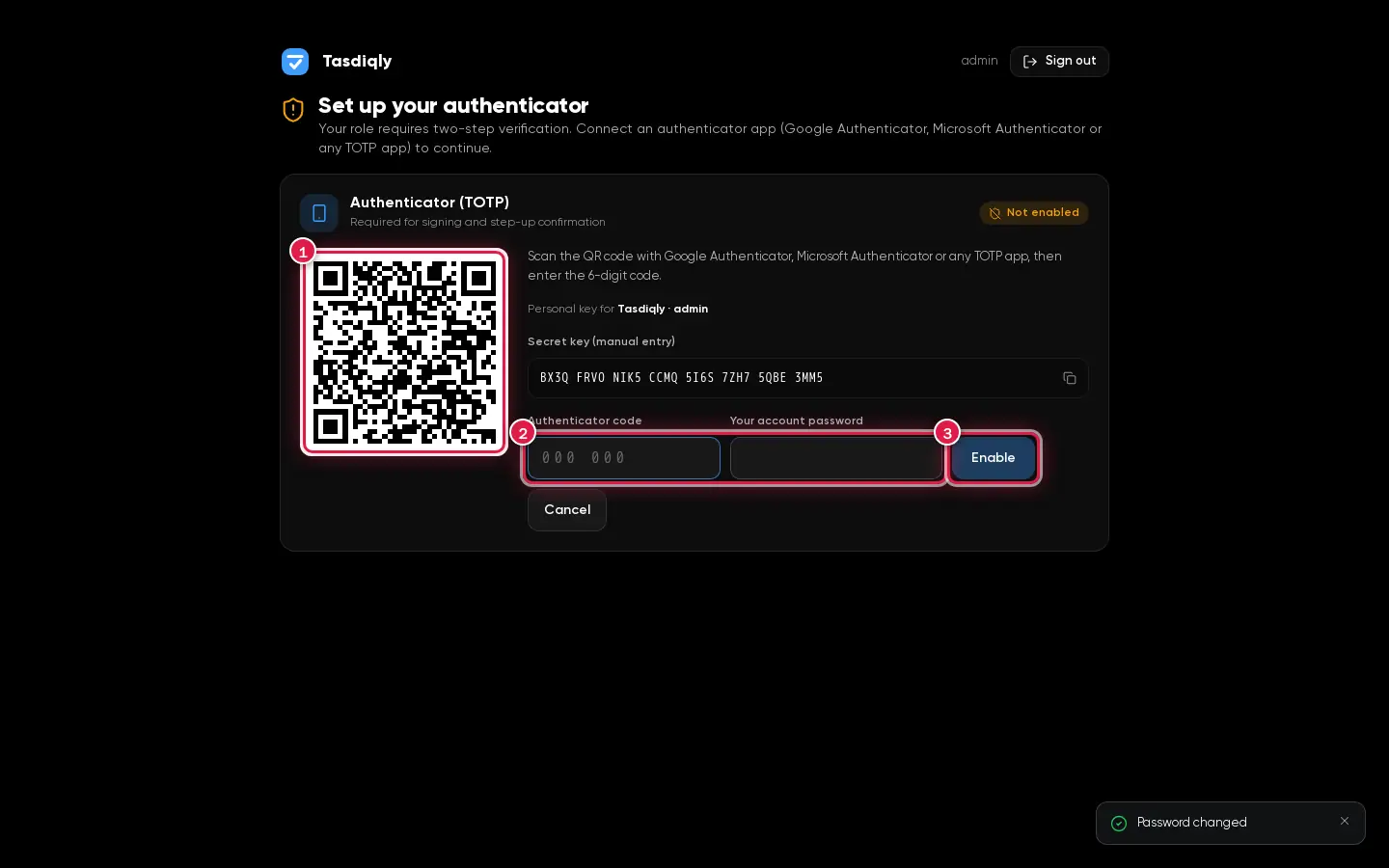
- QR code (or type the secret key next to it)
- 6-digit code and your password
- Enable
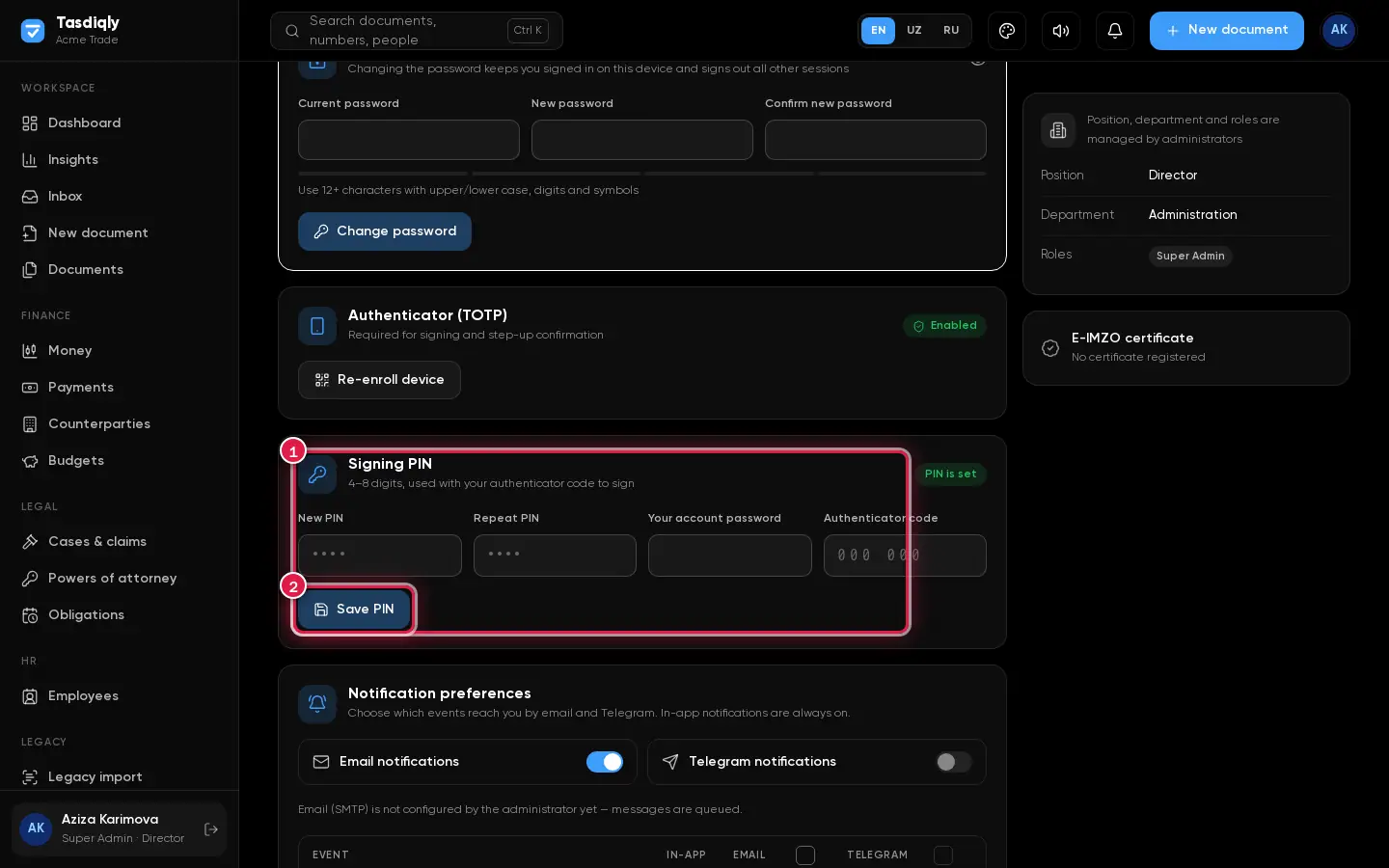
- Signing PIN card
- Save PIN
Common mistakes
- Using the same authenticator entry for several people. Each person enrols their own phone — the code proves who acted.
- Losing the phone without a backup. Save the secret key in a safe place, or ask a second super administrator to use Reset MFA on your user page.
- Choosing a PIN like 1234 or your birth year.